What it does
A free alternative to Maccy and CopyClip — with the type-awareness and transforms they lack, built for developers. See how it compares →
Type-aware history
Knows a link from code from a hex color from a git SHA, an issue key (ABC-123), or a file path / stack-trace file:line — and shows the right glyph, with a live swatch for colors.
⌘K transforms
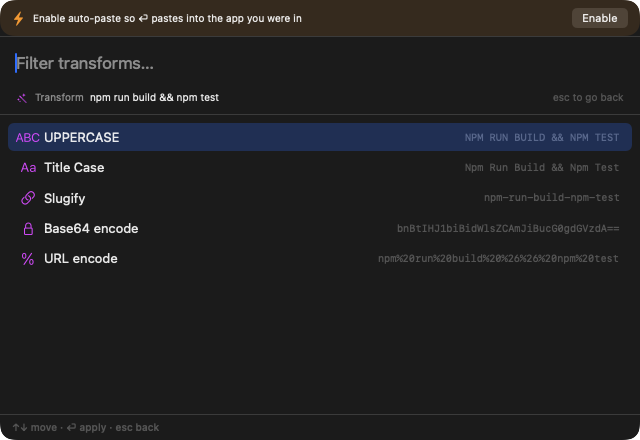
Reshape a clip in place with a live preview: case, slugify, Base64/URL, JSON pretty-print, JSON → TypeScript, decode a JWT, Unix ↔ ISO time, and more. Only the transforms that apply are shown.
Hover to read the whole clip
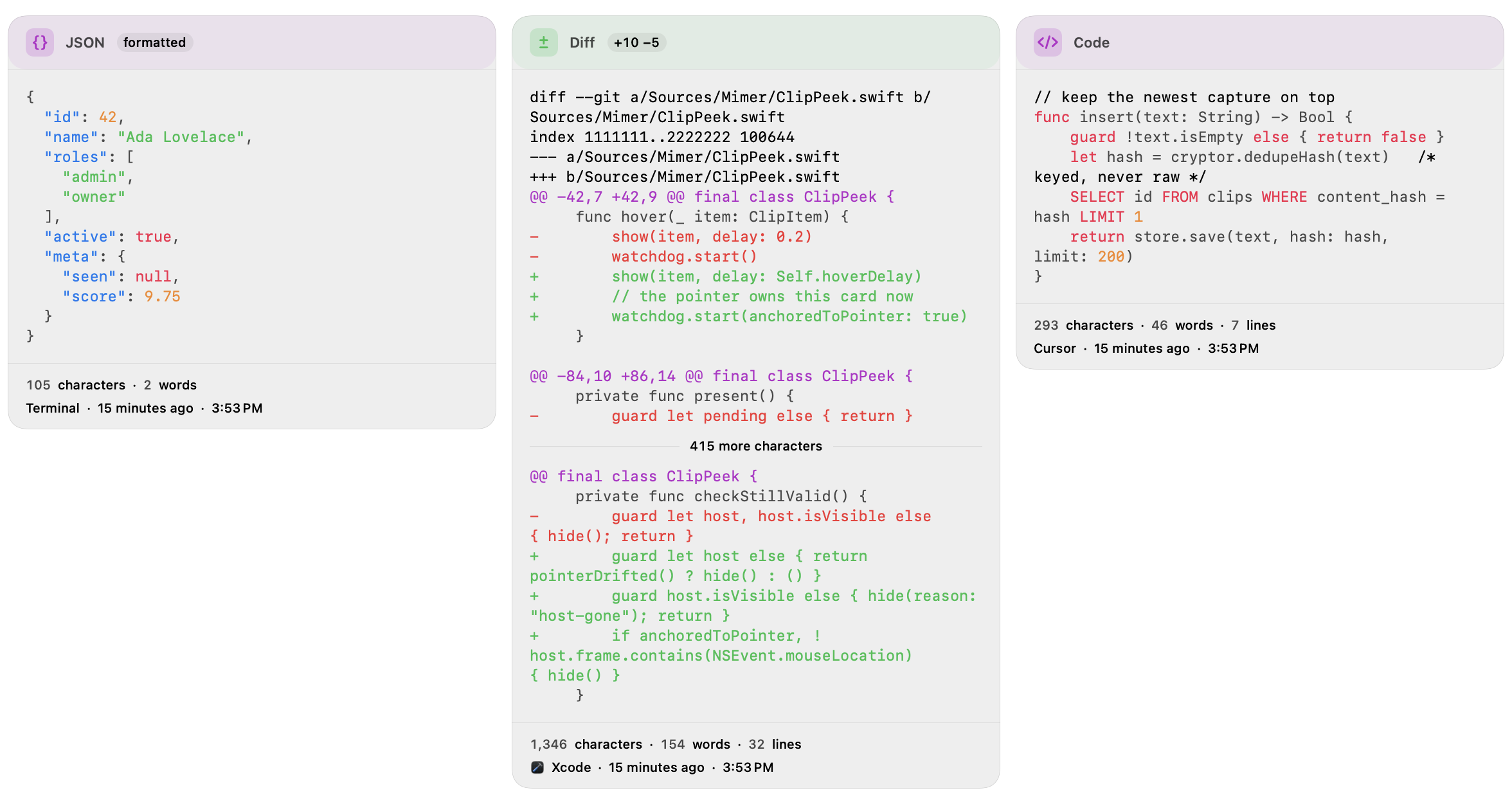
Pause on a clip and the full text appears beside the list — long clips keep their start and their end, so near-identical ones are finally tellable apart. Formatted for what it is: JSON re-wrapped, diffs coloured, a URL's host and tracking parameters picked out.
Built for developers
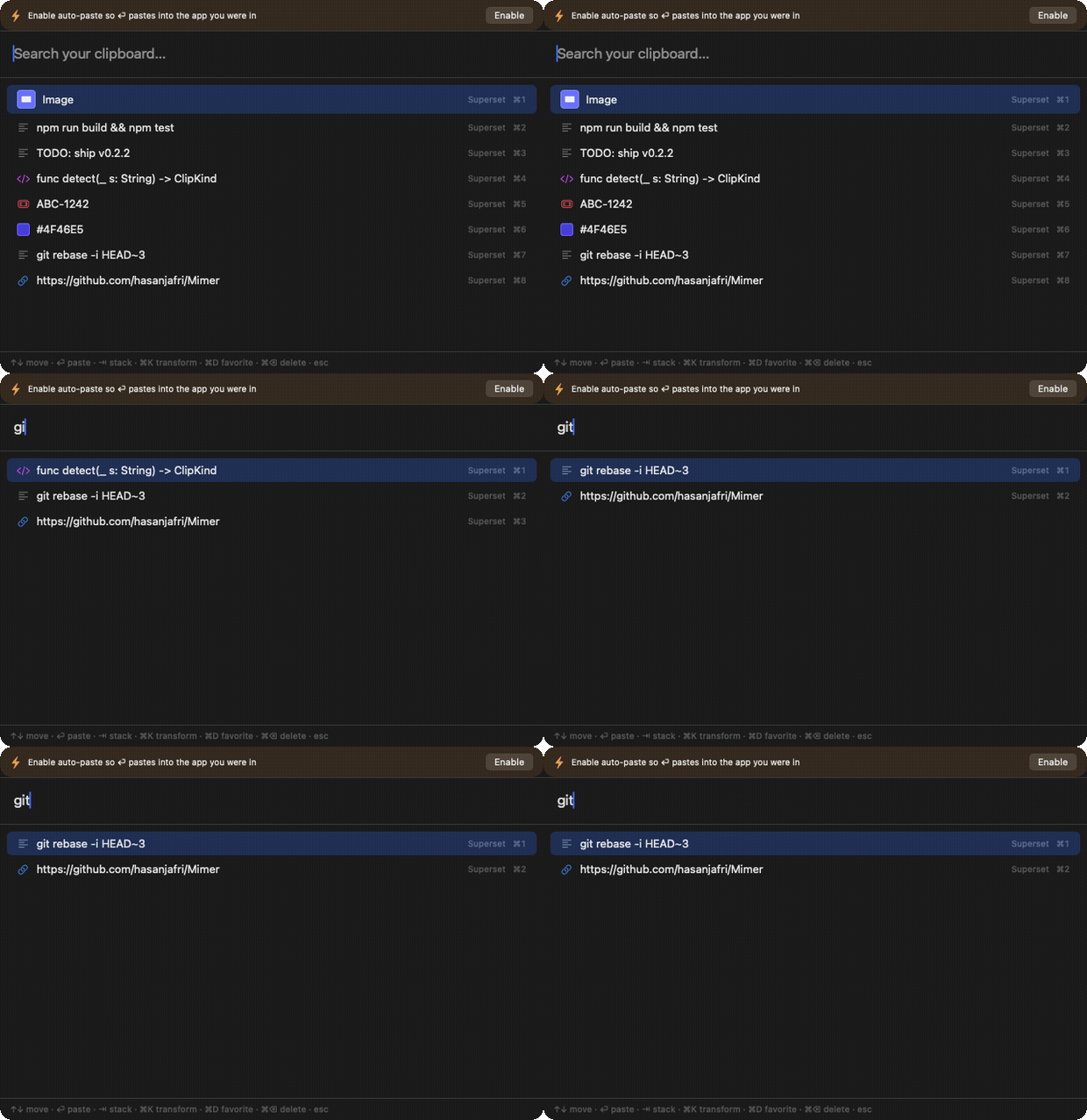
Scoped search (type:, app:, /regex/), a paste-stack, and ⌘O to open a commit, an issue, or a file:line straight in your browser, tracker, or editor.
Brings your history with you
Switching clipboard managers usually means losing everything you've copied. Mimer imports your Maccy history — original times, source apps, and pinned items — on first run or from Settings. Maccy's own history is copied and read from the copy, so it's never changed.
Private by default
Local-only, no telemetry, no subscription. History is encrypted at rest (AES-GCM, key in your Keychain), and detected secrets are masked on screen so they never show on a screenshare.
type:, app:, is:fav, /regex/.Everything else
The clipboard-manager basics, done well — plus the developer extras.
Clipboard history
Everything you copy, newest first, surviving restarts. Quick-paste a top result with ⌘1–⌘9.
Image clips
Copied images are captured with a thumbnail and pasted right back — and, like all clips, encrypted at rest.
Favorites & snippets
⌘D keeps a clip forever; author reusable snippets (signatures, boilerplate) that live in the palette.
Paste-stack
Queue several clips with ⇥, then ⇧⏎ to paste them all in order.
Pause & exclusions
Stop recording on demand, or never record while chosen apps are frontmost. Password managers are always ignored.
Auto-paste (optional)
⏎ pastes straight into your previous app once you grant one permission; otherwise the clip is on your clipboard for ⌘V.
Install
Signed & notarized, auto-updating via Sparkle. Requires macOS 14 (Sonoma) or later.
Homebrew:
brew install --cask hasanjafri/tap/mimer
Or download the DMG from the latest release, open it, and drag Mimer to Applications.